
Shortly after Motortola Solutions acquired Rave, I was tasked with discovering how we could layer our most prolific product elements, such as Panic Calls, alerting, and task management into their highly-deployed, mission-critical Command Center experience, where users operate in life-or-death situations every day.
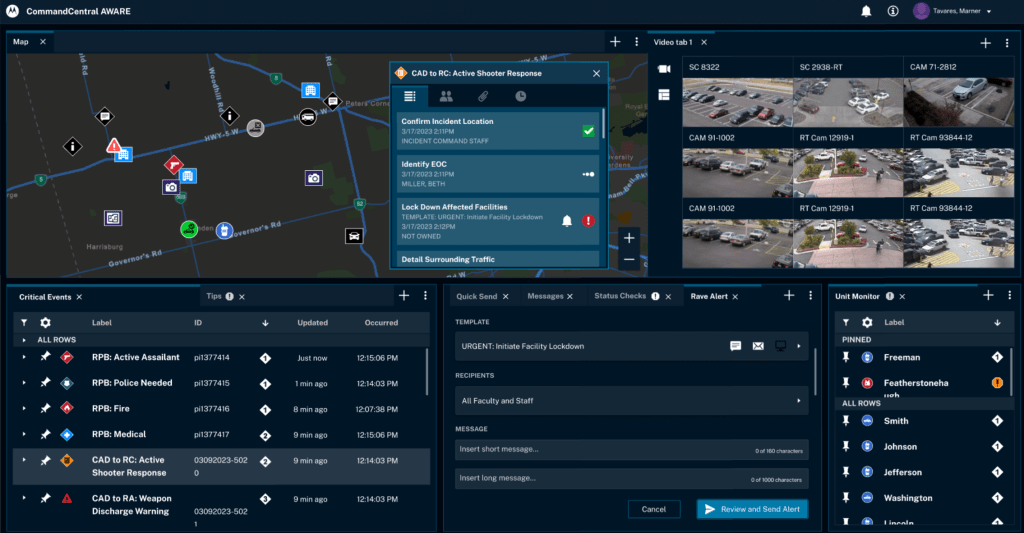
Fig 1. MSI’s Command Central is the nucleus platform that needed to inherit and optimize several situational awareness, critical communication, and collaboration tools that became possible after MSI’s acquisition of Rave.
The Core
Some parts of Rave’s core platform (map-based visuals and actions) were use case compatible to the MSI’s product and others were not. For the decade leading up to our acquisition, we designed and deployed several solutions for the command center and critical operations space, such as GIS visualization tools, alerting capabilities, collaboration tools, along with facility and location intelligence. The main question became how do we integrate the right pieces of Rave’s incident management and alerting capabilities into an experience that did not have them without overloading users?

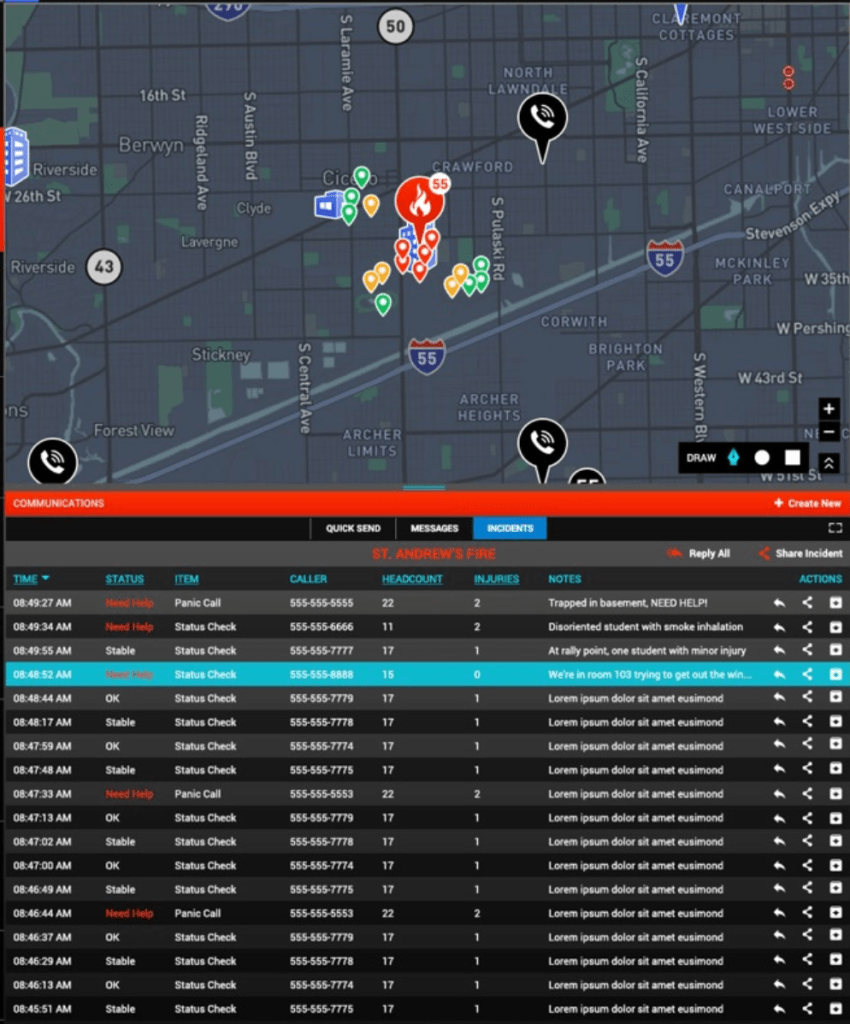

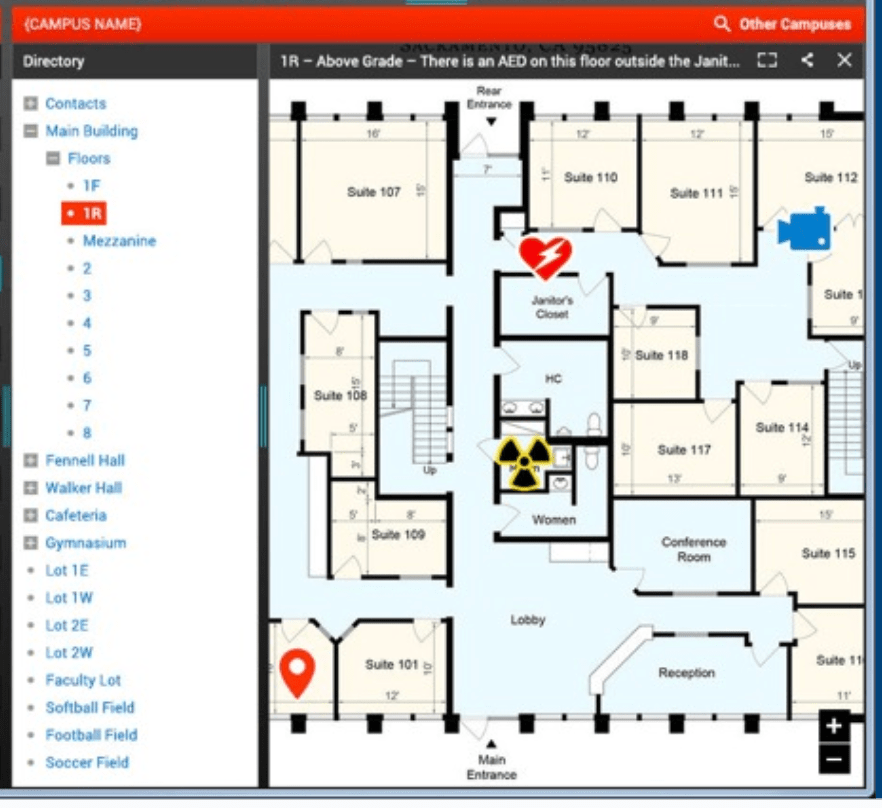

Fig 2. Various capabilities from the Rave platform, including emergency location, type, task and workflow management, facility details such as annotated floor plans, and geo-aware alerting.
Mapping
The map and its data window was the best place to visualize Rave’s extensive bank of facility data – emergency type, geo-oriented floor plans, access control, utility, hazmat, fire, and AED info. Pairing this intelligence with MSI’s giant footprint of fixed and mobile video, police radio, and unit status provides responders with critical situational awareness prior to entering emergencies.
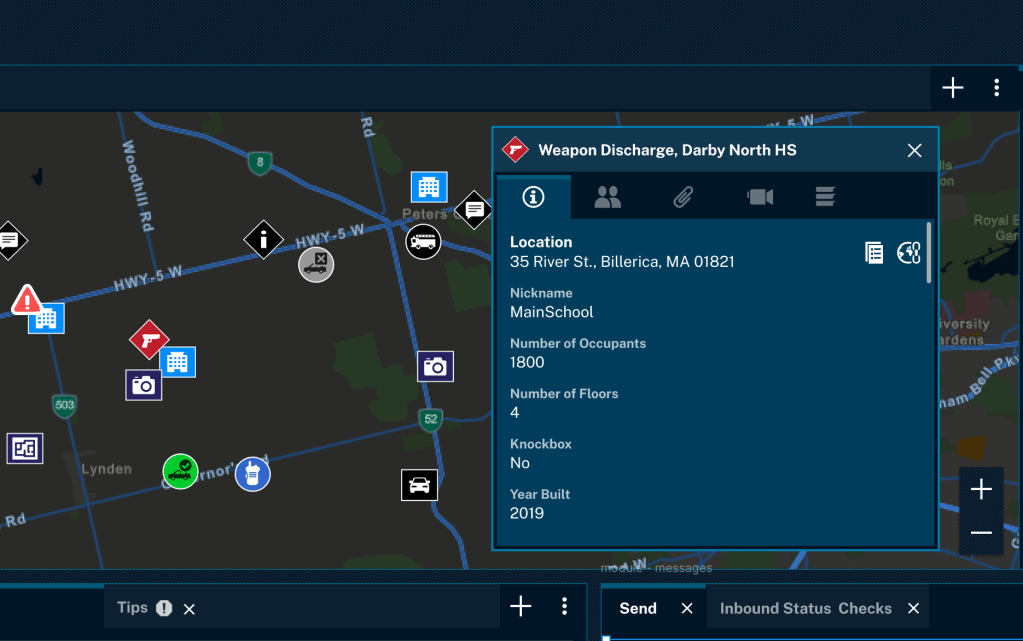
Fig 3. The map offers a bird’s eye view of all kinds of incidents, facilities, units, and other activity in a given organization. The user can drill into a particular incident for specific information regarding incident type, location, and other critical data.
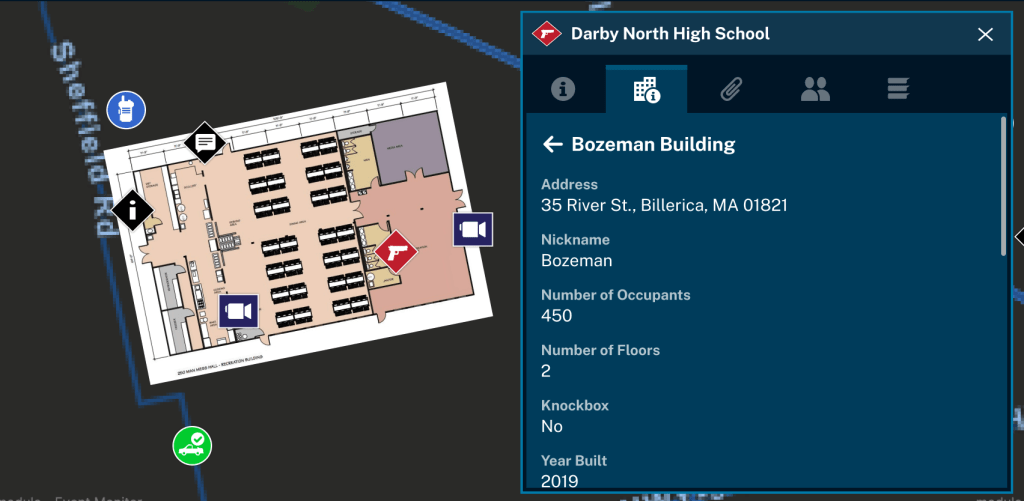
Fig 4. A user can further drill into the building level, which can surface floor plans, cameras, hazmat, and more.
Tasks
Adding Rave’s incident management workflows as a module keeps everyone on track with timelines and fully customizable incident playbooks and tasks that identify owner, type, and status throughout situations that involve multiple parties in different places who are collaborating to respond to a wide-ranging and multifaceted emergency.
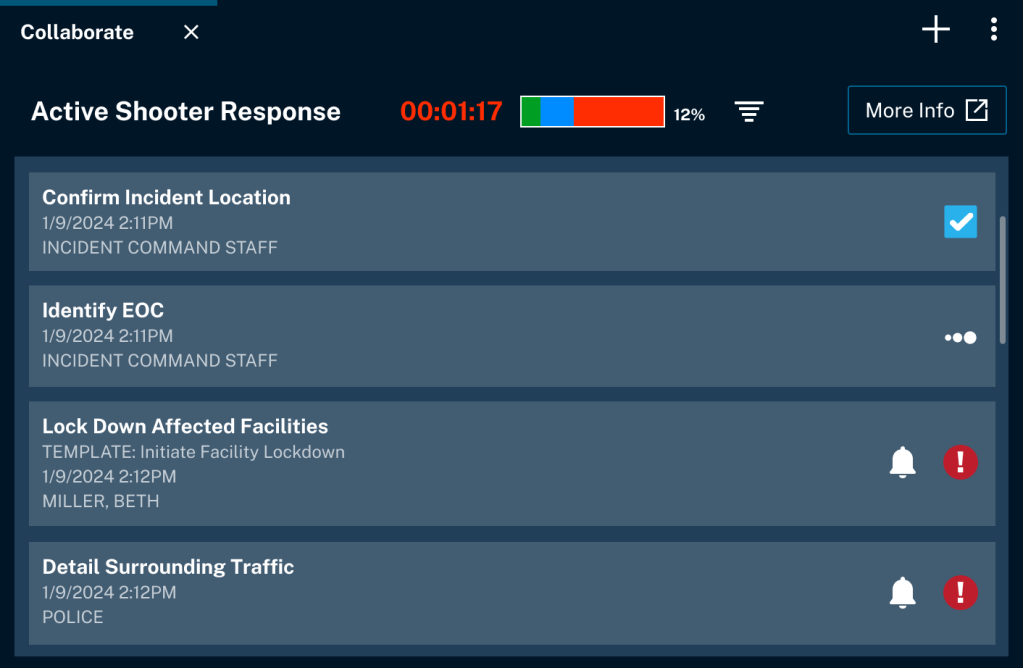
Fig 5. Just as important as the critical details and location of an event is how to manage and allocate response to that event. Integrating Rave’s tasks management and collaboration tool allows gives dispatchers and emergency managers a clear picture into what is happening, who is assigned, and potential blockers.
Alerts
Many of the critical tasks involved in managing any major situation are greatly assisted by mass notification. Again, using a modular approach, the Rave Alert capability allows an incident manager to immediately alert stakeholders across channels and roles. This is paramount when it comes to mobilizing response teams and communicating with the impacted community.

Fig 6. If sending an alert is relevant to either the public or internal stakeholders during a response, the user can pick from any number of preconfigured templates, and send a short message (up to 160 characters), a long message, or both.
Smart911 and SMS Chat
Outside of wide-scale events, Rave also brought the national Smart911 service to MSI’s highly-deployed call taking software. This opt-in service allows any US resident to add anything about their household they would want responders to know in case of an emergency, and be able to text 911 if they can’t speak.
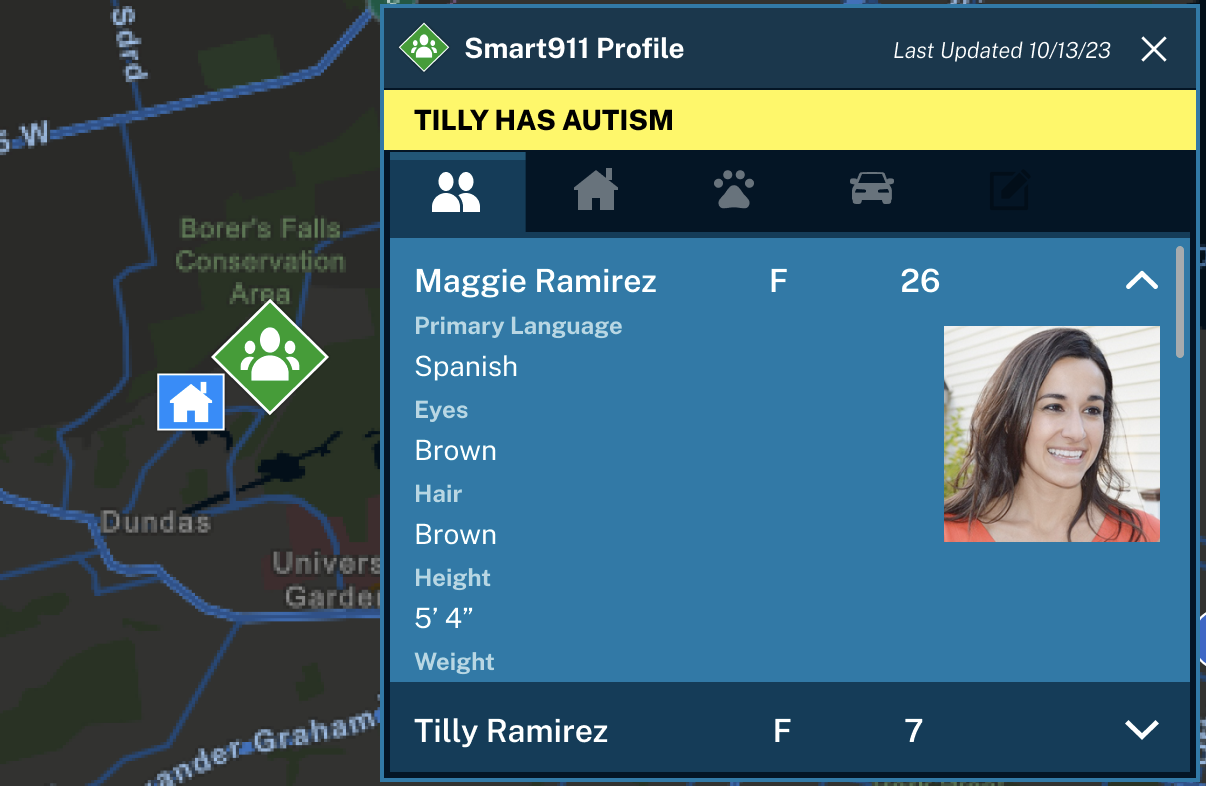
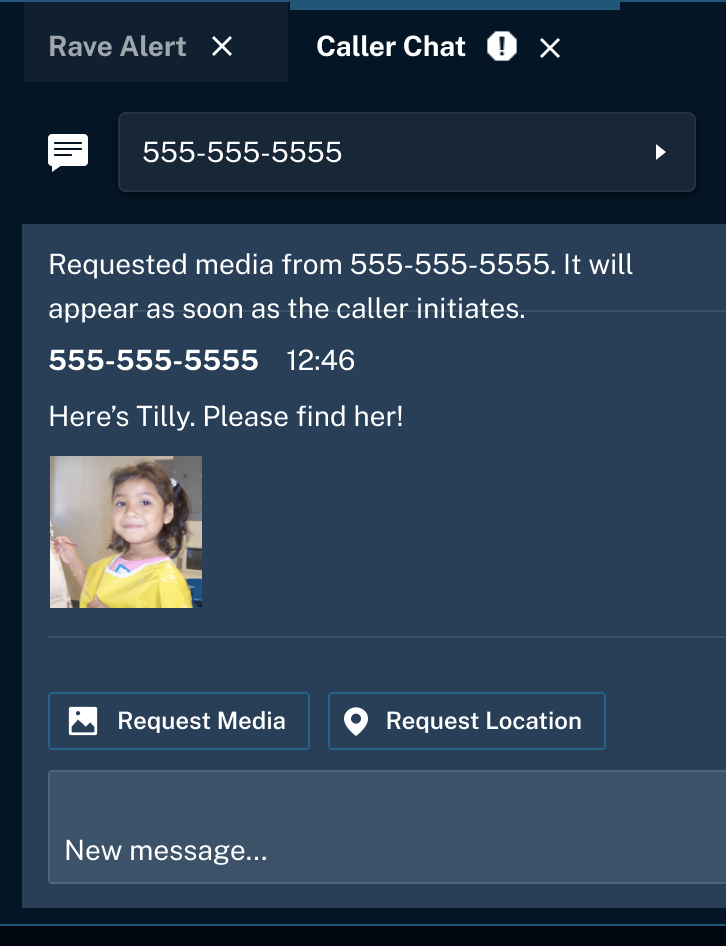
Fig 7. A 911 call taker’s screen shows the instance of a missing child with autism, one of a multitude of acute medical and/or logistical emergencies. The additional information and ability to gather assets such as photos from the caller enables the most efficient and expedient dispatch for any given incident.


 UXLERATION